
Quick Answer
- App: Kakao Bus (카카오버스) — free, iOS & Android
- Language: Korean only, but very usable with this guide
- What it does: Real-time bus location, exact arrival times, route planning
- Alternative: Naver Map has English bus directions built in
Google Maps is unreliable for Korean buses. This kakao bus app guide explains what every Korean uses to track buses — and once you know which buttons to tap, you don’t need to read Korean to use it effectively.
Daddy’s Note: If Korean feels overwhelming, use Naver Map in English — it has bus directions and is fully functional in English. But for real-time arrival countdowns, Kakao Bus is significantly more accurate and detailed.
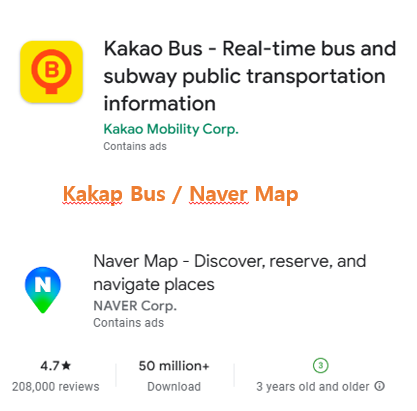
Kakao Bus vs Naver Map — Which to Use
| Kakao Bus | Naver Map | |
|---|---|---|
| Language | Korean only | English available |
| Real-time tracking | ✅ Excellent | ✅ Good |
| Route planning | ✅ Yes | ✅ Yes |
| Subway directions | ❌ No | ✅ Yes |
| Arrival countdown | ✅ Most accurate | ✅ Good |
| Best for | Tracking buses at the stop | Planning full journeys |
Best approach: Use Naver Map to plan your route in English, then switch to Kakao Bus to track real-time arrival once you’re at the stop.
Download and Setup
- Search “Kakao Bus” or “카카오버스” on App Store or Google Play
- Install — no account required for basic use
- Open app — you’ll see a map with your current location
- Allow location permissions when prompted
The app is free and works immediately. No registration, no login required for checking bus times and routes.

The 3 Things You’ll Actually Use
1. Find Your Bus Stop
Tap the search bar at the top of the screen. Type your stop name in English — Kakao Bus recognizes romanized Korean (e.g., “Myeongdong”, “Hongdae”, “Itaewon”). Alternatively, zoom in on the map and tap any blue bus stop icon directly. The stop page opens automatically.
2. Check Arrival Time
On a bus stop page, you’ll see bus numbers listed on the left and countdown timers on the right. This is the core feature of this kakao bus app guide — the arrival countdown is accurate to the minute and updates in real time as the bus moves through traffic.
- “1분” = 1 minute away
- “곧 도착” = arriving now — move to the stop
- “운행종료” = service ended for today — find an alternative
3. Plan a Route
Tap the route icon (two arrows or a path symbol). Enter your start point and destination — paste Korean text from Google Translate if needed. The app shows which bus to take, where to board, where to get off, and how long the journey takes. Screenshot your route before boarding — bus WiFi can be unreliable mid-journey.
Key Korean Words in the App
| Korean | Meaning |
|---|---|
| 분 후 | Minutes away |
| 곧 도착 | Arriving now |
| 운행종료 | Service ended for today |
| 정류소 | Bus stop |
| 출발지 | Departure point |
| 도착지 | Destination |
| 환승 | Transfer |
| 첫차 / 막차 | First bus / Last bus of the day |
Seoul Bus Colors Explained
| Color | Type | Best For |
|---|---|---|
| ? Blue (간선버스) | Main city routes | Long distances across Seoul |
| ? Green (지선버스) | Local neighborhood | Short distances, frequent stops |
| ? Red (광역버스) | Express routes | Suburbs to city center, limited stops |
| ? Yellow (순환버스) | City center circular | Downtown sightseeing loop |
How to Pay on Seoul Buses
T-money card (recommended): Tap on when boarding and tap off when exiting. Free transfers to subway or another bus within 30 minutes. Slightly cheaper than cash fare.
Credit card: Most buses now accept contactless payment. Tap on boarding and tap off at exit — same as T-money.
Cash: Exact change only — drivers do not give change. Not recommended.
Base fare: ₩1,500 with T-money / ₩1,650 cash (as of 2026). Always tap OUT when exiting — if you don’t, you lose the transfer discount and get charged full fare for the next leg.
Common Mistakes on Seoul Buses
- Not tapping off: Always tap your T-money card on exit — easy to forget, costs you the transfer discount
- Wrong bus direction: Buses run both directions on the same stop — check the route map in Kakao Bus before boarding
- Missing your stop: Announce your stop request by pressing the bell button — stops are called in Korean only on most buses
- Relying on Google Maps: Google Maps bus data for Korea is incomplete — use Naver Map or Kakao Bus instead
Daddy’s Final Note
This kakao bus app guide comes down to one habit: plan on Naver Map, track on Kakao Bus. Naver gives you the English route, Kakao tells you exactly when your bus arrives. Screenshot the route before you leave WiFi, tap both on and off with T-money, and check the bus color before you board. Seoul buses go everywhere the subway doesn’t — once you’re comfortable with the system, they’re often faster than the subway for shorter cross-city trips.